Add & manage devices
Add a device, keep it working, and revoke it when you’re done with it.
Add a device
Every device — phone, laptop, router — gets its own username and password. You can have up to 5 devices at a time.
hi-vpn.com/setup- On your account page, select + Add device.
- Pick a region. Every region is available — if it doesn’t have a server running yet, one starts when you create the device (see Regions without a server yet below).
- Give the device a name you’ll recognise later, like “My iPhone” (optional), and select Create device.
- Copy the password now. It is shown only this once. On the same page you get:
- the server address — for OpenConnect and manual setup,
- an anyconnect: link and an Open in Cisco Secure Client button — for one-tap setup on the device you’re using.
- Continue with Connect.
hi-vpn.com/setup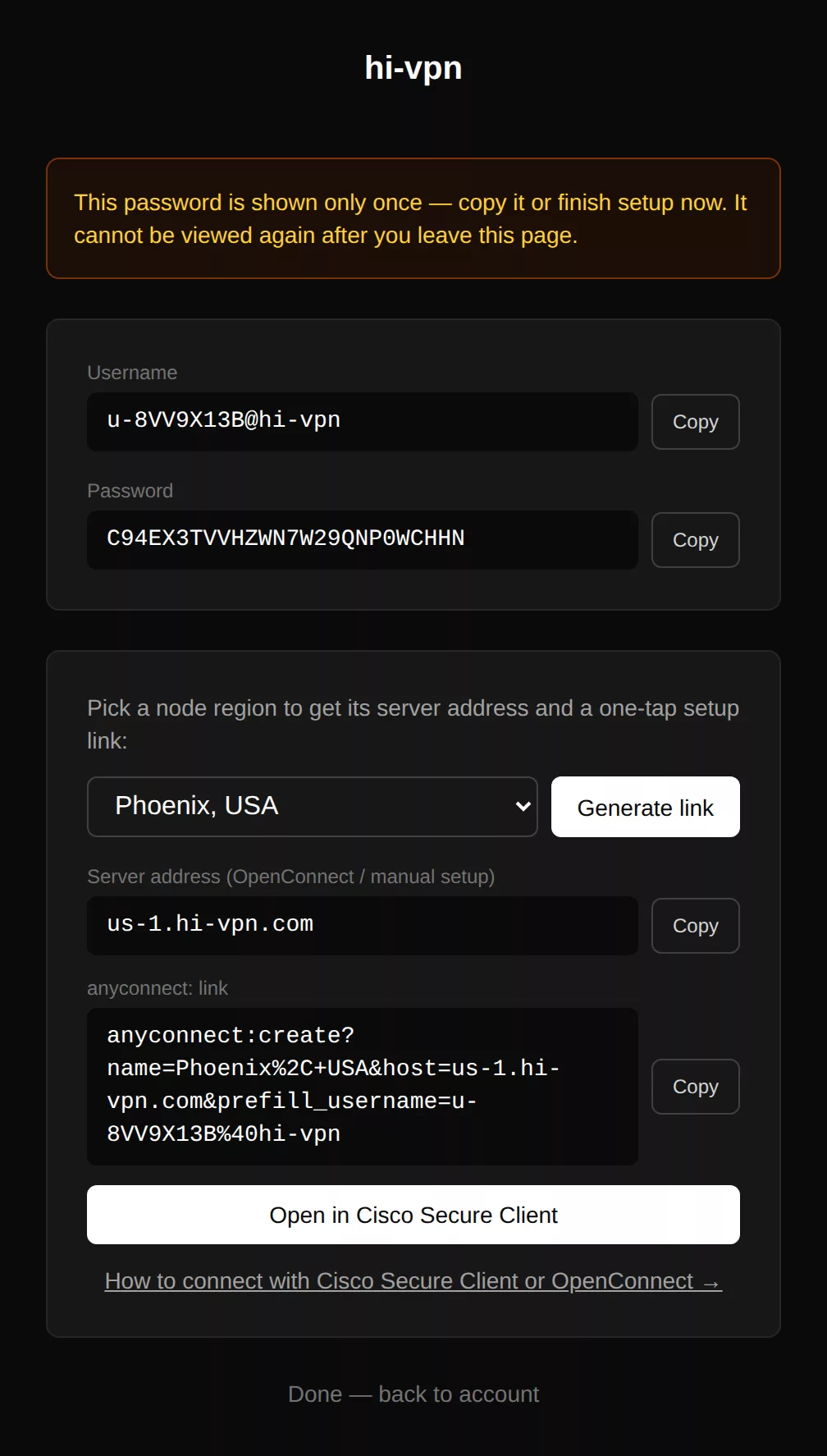
The servers pick up a new device within about a minute. If your client says login failed right away, wait a minute and try again.
One device, one login
One device, one login. A username can only be connected from one place at a time. If you use the same one on two devices, the second can’t connect while the first is online — add a device for each instead.
Devices keep working for as long as your subscription is active. You don’t need to recreate them every month.
Device limit
If you already have 5 devices, you’ll see Device limit reached (5). Revoke an old device first. (this message is in English whatever language the site is in). Nothing is created and no server is started. Revoke a device you no longer use first.
hi-vpn.com/setup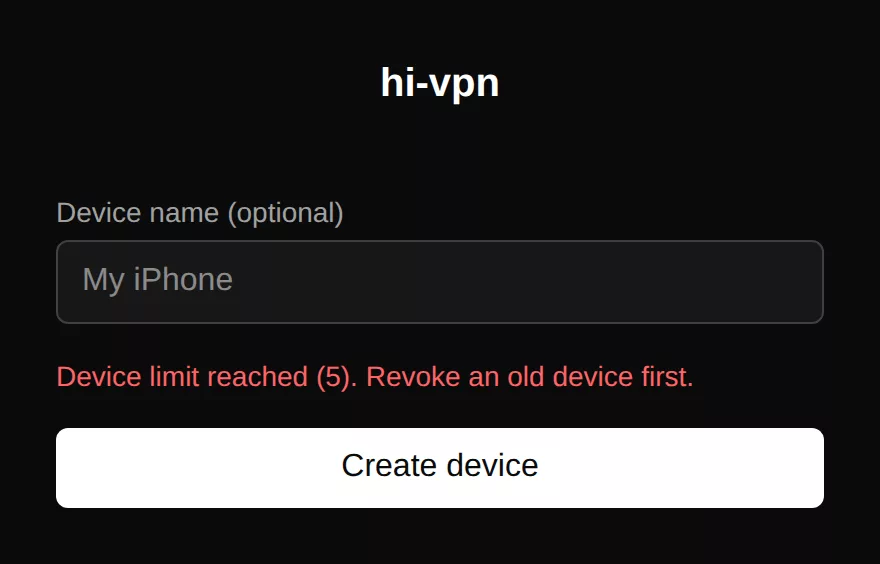
Regions without a server yet
We run servers only where people use them, but every region is open to you. If the region you pick has no server running, creating your device also starts one — usually 2–5 minutes. You get your username, password and link right away; the page shows the server’s progress live — ordering the server, booting the machine, installing the VPN, getting the TLS certificate — and tells you when it’s ready to connect.
hi-vpn.com/setup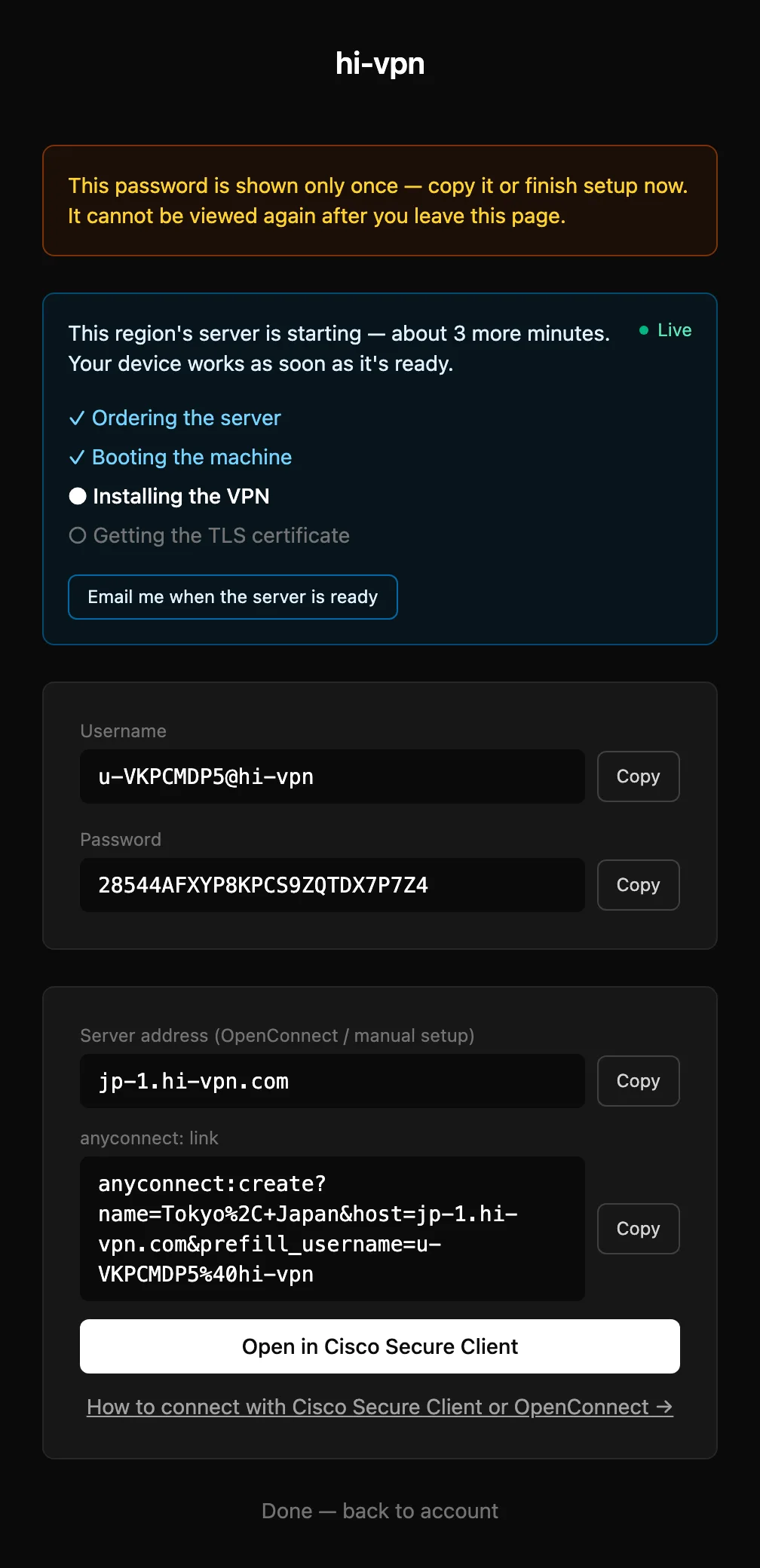
- Don’t want to keep the page open? Select Email me when the server is ready. The email says the server is up and repeats the server address, username and link — not the password, which is shown only once on the page.
- You can start one new region a day. If you see New regions are temporarily unavailable, pick a region that is already running — no device was created.
- If the page says The server didn’t come up this time, your device still exists. Try that region again later, or pick another one — you can revoke the device you don’t need.
- A server that nobody has connected to for a full day is shut down. If you try to connect to that region afterwards, you won’t be able to connect until a server is started there again.
Your devices aren’t tied to a region. Every running server accepts the logins of all your devices. To bring a region back after its server was shut down, add a device in that region: the server starts again at the same server address, and a device you had set up for that region works again with no changes. The extra device isn’t needed for that — revoke it if you don’t want it (it counts toward your 5 until you do).
If the page says the region’s server is being shut down, wait a few minutes and try again.
Manage your devices
Your account page lists every active device by name and username.
hi-vpn.com/account- Revoke removes a device. Its login stops working and, if it’s connected, it’s disconnected within about a minute. This frees up a slot.
- New phone? Revoke the old one and add the new one.
- Lost the password? Revoke the device and add it again — you’ll get a new password.
- Lost or stolen device? Revoke it right away.
Still stuck?
Email us and include your device and client — never your password. support@hi-vpn.com